Business Navigation Platform
BMW EntryNav Navigation System & Map Updates
Authoritative technical guide for BMW EntryNav navigation head units. Identify your system, confirm Road Map ROUTE compatibility, and verify update requirements across verified F-series vehicles.
2. How to Check Whether Your BMW Uses EntryNav
Because BMW utilized overlapping production windows and similar interior dashboard layouts across F-series models, visual styling alone cannot reliably confirm system identity. On-screen software verification remains the single definitive method to identify your system.
Primary Method: In-Car Software Version Screen
The definitive identification method is checking the active navigation software label displayed in your vehicle's central screen:
Navigation -> Options (Physical Controller Button) -> Navigation System Version
If the displayed text explicitly contains the map family designation BMW Group / Road Map Europe ROUTE / EntryNav_...If the displayed version string includes the keyword ROUTE, your vehicle is confirmed to use EntryNav. If the screen displays WAY, your vehicle uses EntryNav2; if it displays NEXT, your vehicle uses NBT; and if it displays EVO, your vehicle uses NBT EVO.
Secondary Method: Interface and Physical Characteristics
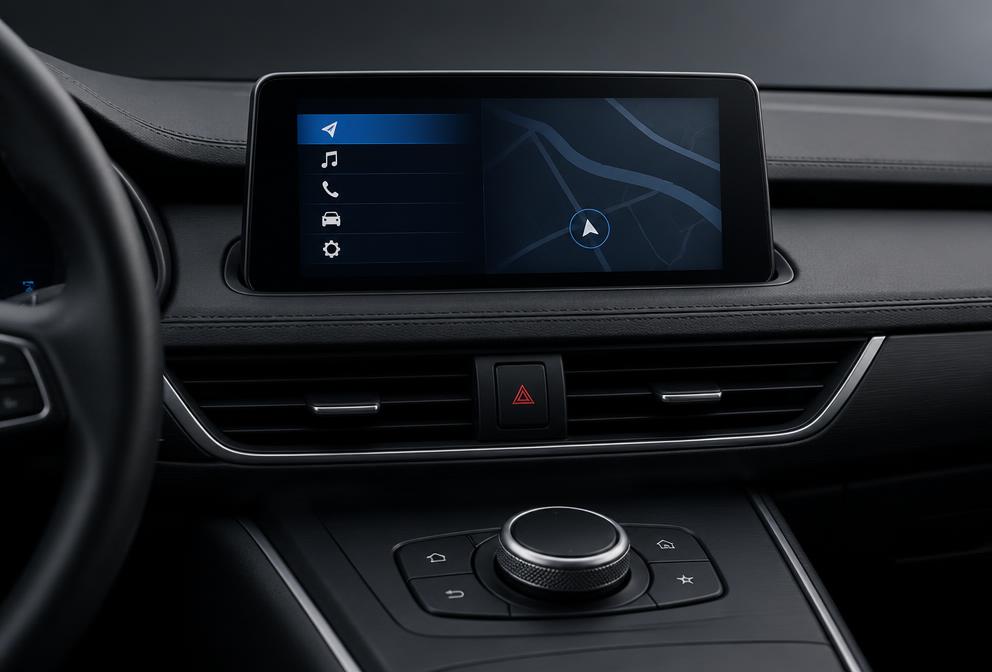
EntryNav features a streamlined business navigation interface with a central dashboard display and a single USB port located in the center console. However, visual appearance alone cannot substitute for checking the on-screen software version string.
Three-Step Verification Process
3. EntryNav Map Family: Road Map ROUTE
Dedicated Map Distribution Family
In BMW navigation taxonomy, map packages are compiled for specific hardware platforms designated by proprietary map family identifiers. For the EntryNav system, the designated map family is strictly Road Map ROUTE.
Road Map ROUTE is the exclusive map family designed for the EntryNav head unit. Map updates compiled for other navigation families — including WAY (EntryNav2), NEXT (NBT), EVO (NBT EVO), PREMIUM (CIC), and MOVE — utilize incompatible file architectures and filesystem layouts that cannot be installed on EntryNav hardware.
Source Concordance & Disambiguation Note
VERIFIED: Technical references S1, S2, S3, S4, and S5 concordantly confirm that the EntryNav head unit uses the Road Map ROUTE map distribution family across 16 verified F-series chassis.
DISPUTED: Third-party and aftermarket queries frequently confuse EntryNav (ROUTE) with successor platform EntryNav2 (WAY). The two platforms are distinct head units using completely incompatible map software. Confirming the map family keyword on the system version screen definitively resolves this distinction.
4. BMW Models Verified for EntryNav
Repository technical records (file seo/05_entity_relationships.csv) verify EntryNav fitment across 16 specific F-series chassis codes:
| Chassis Code | BMW Model Series | Lifecycle Phase | Map Family |
|---|---|---|---|
| F20 | 1 Series 5-door Hatchback | 2013–2017 | Road Map ROUTE |
| F21 | 1 Series 3-door Hatchback | 2013–2017 | Road Map ROUTE |
| F22 | 2 Series Coupe | 2013–2017 | Road Map ROUTE |
| F23 | 2 Series Convertible | 2014–2017 | Road Map ROUTE |
| F45 | 2 Series Active Tourer | 2014–2017 | Road Map ROUTE |
| F46 | 2 Series Gran Tourer | 2015–2017 | Road Map ROUTE |
| F30 | 3 Series Saloon | 2013–2017 | Road Map ROUTE |
| F31 | 3 Series Touring | 2013–2017 | Road Map ROUTE |
| F34 | 3 Series Gran Turismo | 2013–2017 | Road Map ROUTE |
| F80 | M3 Saloon | 2014–2017 | Road Map ROUTE |
| F32 | 4 Series Coupe | 2013–2017 | Road Map ROUTE |
| F33 | 4 Series Convertible | 2014–2017 | Road Map ROUTE |
| F36 | 4 Series Gran Coupe | 2014–2017 | Road Map ROUTE |
| F48 | X1 Compact SAV | 2015–2017 | Road Map ROUTE |
| F25 | X3 Sports Activity Vehicle | 2013–2017 | Road Map ROUTE |
| F26 | X4 Sports Activity Coupe | 2014–2017 | Road Map ROUTE |
Chassis Boundaries and Verification Requirements
EntryNav was deployed alongside other head unit options during the 2013–2017 production cycle. Because optional navigation packages and rolling model changes varied by factory build date, owners must verify their system via the on-screen software version rather than model year alone.
5. EntryNav Production Window and Support Status
According to technical repository records supported by references S1, S2, S3, S4, and S5:
- Production Window: 2013–2017
- Map Software Family: Road Map ROUTE
- Hardware Classification: Business Navigation (Mid-Tier)
- Map Delivery Architecture: USB Media
- Lifecycle Support Status:
unknown
A unknown status reflects that canonical evidence records in this repository classify EntryNav ongoing manufacturer maintenance as unconfirmed. Vehicle owners should verify active map availability before acquiring updates.
7. Road Map ROUTE Regions and Media Requirements
Vehicle owners frequently search for Road Map ROUTE updates using regional terms. The keyword dataset reflects search intent rather than real-time product availability for an individual vehicle:
- Europe ROUTE: Regional search queries frequently target European coverage editions for EntryNav head units. Drivers should confirm specific country coverage before installation.
- North America ROUTE: Addresses coverage across the United States, Canada, and Mexico for North American specification vehicles.
- Other Regional Editions: Owners search for localized ROUTE releases across additional regional territories. Specific regional availability must be confirmed against vehicle region coding.
- USB Media Formatting: EntryNav updates are loaded via USB media. Use a high-quality USB flash drive formatted with an appropriate filesystem as specified by your update documentation.
8. FSC Activation — What the Registry Confirms
Role of the Freischaltcode (FSC)
The EntryNav system enforces license authentication through an FSC activation code (Freischaltcode). Technical repository records confirm that EntryNav mandates valid activation (fsc_required = yes).
Some BMW navigation systems require a vehicle-specific FSC activation code before a map update can be activated. When new map data is loaded into the vehicle, the iDrive system prompts the operator for activation to authorize installation. NavDecode does not generate or supply FSC activation codes; use an authorised source for activation support.
Legitimate Activation and Policy Boundaries
Technical repository records establish that EntryNav FSC licensing requirements are unconfirmed (fsc_required = unknown). NavDecode maintains strict operational and safety standards regarding onboard vehicle software:
- Technical registry records classify EntryNav FSC requirements as unconfirmed. NavDecode does not generate or distribute activation codes.
- NavDecode does not distribute, support, or condone unauthorized code generators, keygen utilities, patch files, or circumvention procedures.
- Where activation is required by the vehicle's firmware, owners must obtain legitimate activation codes through authorized automotive channels to ensure system stability.
9. What Is Not Yet Verified
In accordance with NavDecode's evidence standards, all technical claims must be substantiated by repository records. The following items are explicitly not verified for the EntryNav platform:
- FSC Activation Code Requirement Repository records establish fsc_required as unknown for EntryNav. Whether individual map updates require an FSC code or update without prompting depends on firmware level and vehicle entitlement, and is not confirmed in repository documentation.
- Lifecycle Support and Maintenance Status Repository records classify EntryNav support_status as unknown. Ongoing manufacturer map release schedules and maintenance status are unconfirmed in repository records.
- Hardware Component Suppliers and Internal Specifications Specific hardware component manufacturers, physical display dimensions, screen resolutions, and internal processing specifications are not verified in repository technical records and are excluded from technical claims.
- Option Code Exclusivity Marketing option designations (such as option S606A) are not confirmed as exclusive identifiers in official repository records. Visual software version verification remains mandatory.
10. Frequently Asked Questions
How do I know if my BMW has EntryNav?
The definitive method is checking the on-screen navigation system version. In your iDrive display, navigate to Navigation -> Options -> Navigation System Version. If the top line displays 'Road Map ... ROUTE', your vehicle has an EntryNav system. Checking the screen label is essential for vehicles produced during the 2013–2017 production window.
What map family does BMW EntryNav require?
BMW EntryNav head units use the Road Map ROUTE map family exclusively. Map update packages compiled for other platforms — including WAY, NEXT, EVO, and PREMIUM — utilize incompatible architectures and cannot be installed on an EntryNav head unit.
What is the difference between EntryNav and EntryNav2?
EntryNav2 (sometimes searched as ENAV-EVO in aftermarket queries) is a separate navigation platform that uses the Road Map WAY map family in our technical registry. EntryNav is an earlier business platform that uses Road Map ROUTE. Confirming your vehicle's on-screen map version label resolves any confusion between the two systems.
Does BMW EntryNav require an FSC activation code for updates?
NavDecode's canonical evidence registry classifies EntryNav FSC requirements as unknown. Some ROUTE map updates may require an activation code depending on head unit firmware and prior vehicle entitlements, while others may update without prompting. Always verify on-screen vehicle prompts before purchasing an activation code.
Which BMW vehicle models use EntryNav?
Technical repository records verify EntryNav fitment across 16 F-series chassis produced between 2013 and 2017, including select 1 Series (F20, F21), 2 Series (F22, F23, F45, F46), 3 Series (F30, F31, F34, F80), 4 Series (F32, F33, F36), X1 (F48), X3 (F25), and X4 (F26). System fitment should always be confirmed via the in-car software screen.
11. Need Help Identifying Your System?
If you are unsure whether your BMW is equipped with EntryNav or need help confirming your current Road Map ROUTE version, our interactive identifier and support team can assist you before updating.